

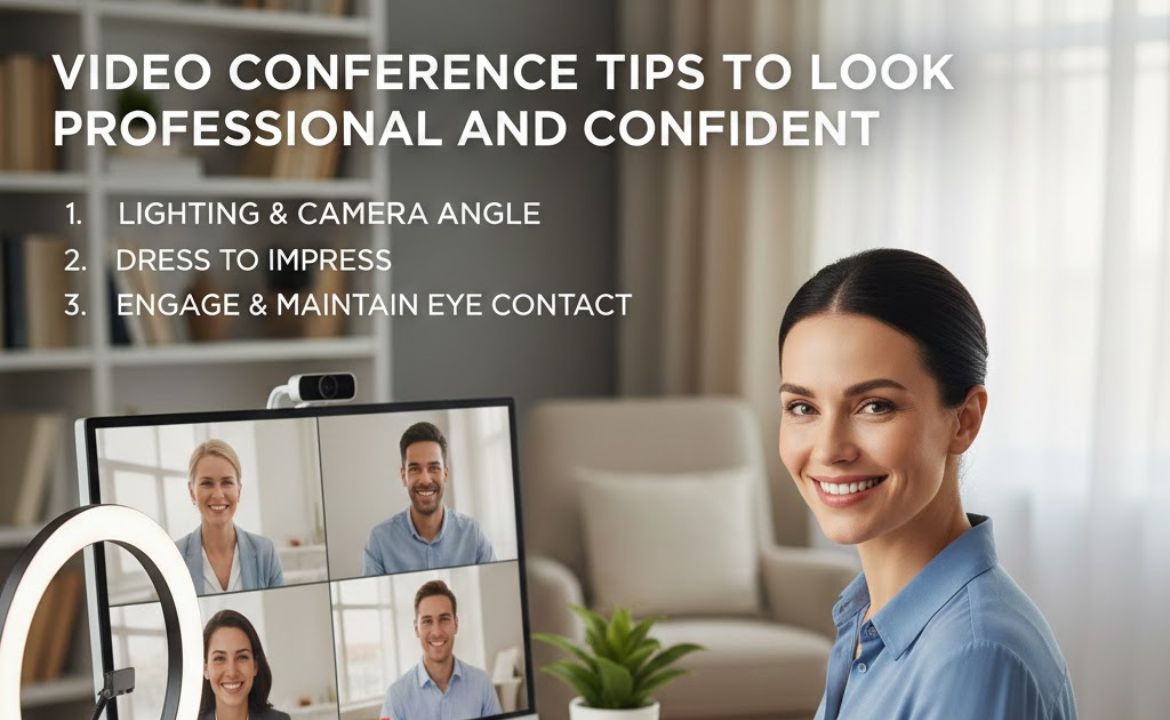
In today’s digital workplace, mastering the art of virtual meetings has become essential. Whether you’re interviewing for a job, presenting to clients, or collaborating with remote colleagues, how you present yourself on camera can significantly impact your professional image. These video conference tips will help you project confidence and professionalism in every virtual interaction.
Set Up Your Space for Success
Your environment speaks volumes before you even say a word. Choose a quiet, clutter-free location with a neutral background that won’t distract from your message. If your space isn’t ideal, consider using a virtual background, but ensure it looks professional and doesn’t glitch during movement. Natural light from a window facing you works beautifully, but if that’s not available, invest in a simple ring light or desk lamp positioned at eye level to eliminate unflattering shadows.
The backdrop matters more than most people realize. A bookshelf, plain wall, or tastefully decorated space conveys professionalism, while a messy bed or cluttered kitchen can undermine your credibility. Take a moment before each call to view yourself on camera and adjust anything that looks out of place.
Master Your Camera Positioning
One of the most important video conference tips involves camera placement. Position your camera at eye level or slightly above to create the most flattering angle. Looking down at your camera makes you appear less confident and can create an unflattering perspective. If you’re using a laptop, place it on a stack of books or invest in a laptop stand to achieve the proper height.
Maintain appropriate distance from the camera. You should be framed from the chest up, with a small amount of space above your head. Sitting too close makes you appear overwhelming, while sitting too far away makes it difficult for others to read your expressions and engage with you effectively.
Dress the Part
Just because you’re working from home doesn’t mean professional attire takes a backseat. Dress as you would for an in-person meeting, which typically means business casual or business formal depending on your industry. Solid colors work best on camera, particularly jewel tones and pastels. Avoid busy patterns, all-white outfits, or anything with thin stripes, as these can create a distracting visual effect on screen.
Don’t fall into the trap of only dressing professionally from the waist up. You never know when you might need to stand up during a call, and being fully dressed helps you feel more confident and professional throughout the meeting.
Perfect Your Eye Contact and Body Language
Looking directly at the camera, rather than at the screen, creates the impression of eye contact with other participants. This is one of the most challenging video conference tips to implement consistently, but it makes a tremendous difference in how engaged and confident you appear. Practice alternating between looking at the camera when speaking and glancing at the screen when listening.
Your body language communicates just as much as your words. Sit up straight with your shoulders back to project confidence. Avoid fidgeting, excessive hand movements outside the frame, or leaning too far back in your chair. Nodding occasionally when others speak shows you’re actively listening and engaged in the conversation.
Optimize Your Technical Setup
Nothing undermines professionalism faster than technical difficulties. Test your equipment before every important call. Ensure your internet connection is stable by using an ethernet cable when possible or positioning yourself close to your router. Close unnecessary applications that might slow down your connection or cause notifications to pop up during your meeting.
Audio quality often matters more than video quality. Invest in a decent external microphone or headset with a built-in mic. Background noise can be incredibly distracting, so use headphones to prevent echo and consider using your platform’s noise suppression features. When you’re not speaking, mute yourself to minimize ambient sound.
Mind Your Meeting Etiquette
Among essential video conference tips, arriving early demonstrates respect for others’ time and gives you a chance to troubleshoot any last-minute technical issues. Join the meeting two to three minutes before the scheduled start time so you’re present and ready when it officially begins.
Minimize multitasking during calls. Looking at other screens, checking your phone, or typing emails while others are speaking is noticeable and disrespectful. If you must take notes, let others know at the beginning of the meeting so your typing isn’t misinterpreted as distraction.
Use the chat function strategically to share links or brief comments without interrupting speakers, but don’t have side conversations that exclude other participants.
Engage Authentically
Confidence comes from preparation and authentic engagement. Before the meeting, review the agenda and prepare any materials you might need. Have a notepad nearby for jotting down important points. When it’s your turn to speak, take a brief pause before responding to gather your thoughts rather than rushing to fill silence.
Smile genuinely and let your personality show through. The camera can make interactions feel sterile, so adding warmth and authenticity to your communication helps build connections with colleagues and clients. Don’t be afraid to show enthusiasm or inject appropriate humor into conversations.
Practice Makes Perfect
The final and perhaps most valuable of all video conference tips is simply to practice. The more video calls you participate in, the more comfortable and natural you’ll become on camera. Record yourself occasionally to see how you come across and identify areas for improvement.
Remember that everyone feels somewhat awkward on camera initially, but with consistent application of these strategies, you’ll develop a professional and confident virtual presence that serves you well in any remote interaction.
By implementing these video conference tips consistently, you’ll not only look more professional but also feel more confident in virtual settings. This confidence translates into better communication, stronger relationships with colleagues and clients, and enhanced career opportunities in our increasingly digital professional landscape.













Leave a Reply